Building a Virtual Data Analyst: Architecting Agentic AI Workflows over Power BI

In the rush to adopt Generative AI, organizations have flooded their backlogs with “Chat with your Data” initiatives. Most of these projects follow a predictable, often disappointing, pattern: a text-to-SQL layer slapped on top of a raw data warehouse. While this works for simple questions (“How many widgets did we sell?”), it fails catastrophic when applied to enterprise analytical questions (“Why is Q4 margin degrading despite higher volume?”).
The failure stems from a fundamental architectural oversight: Enterprise business logic does not live in the raw database tables; it lives in the Semantic Model.
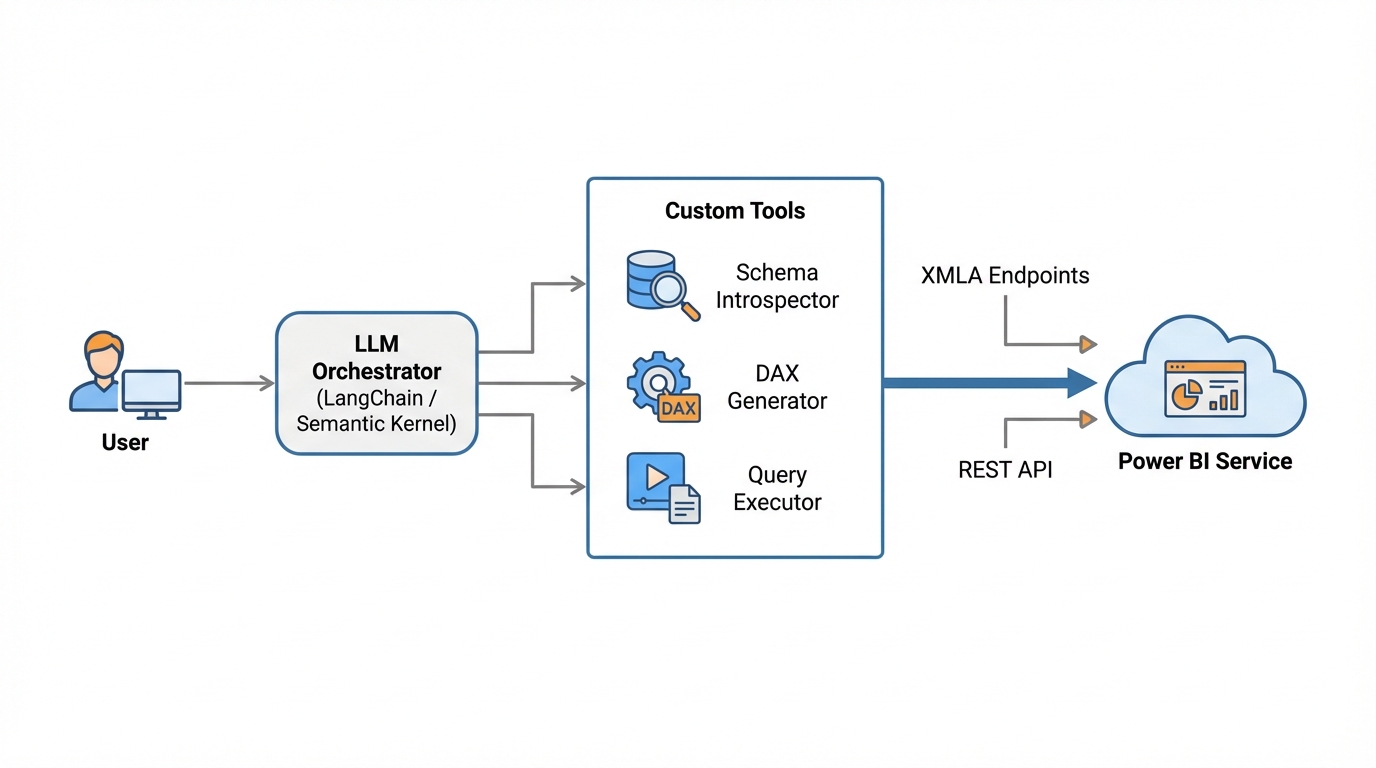
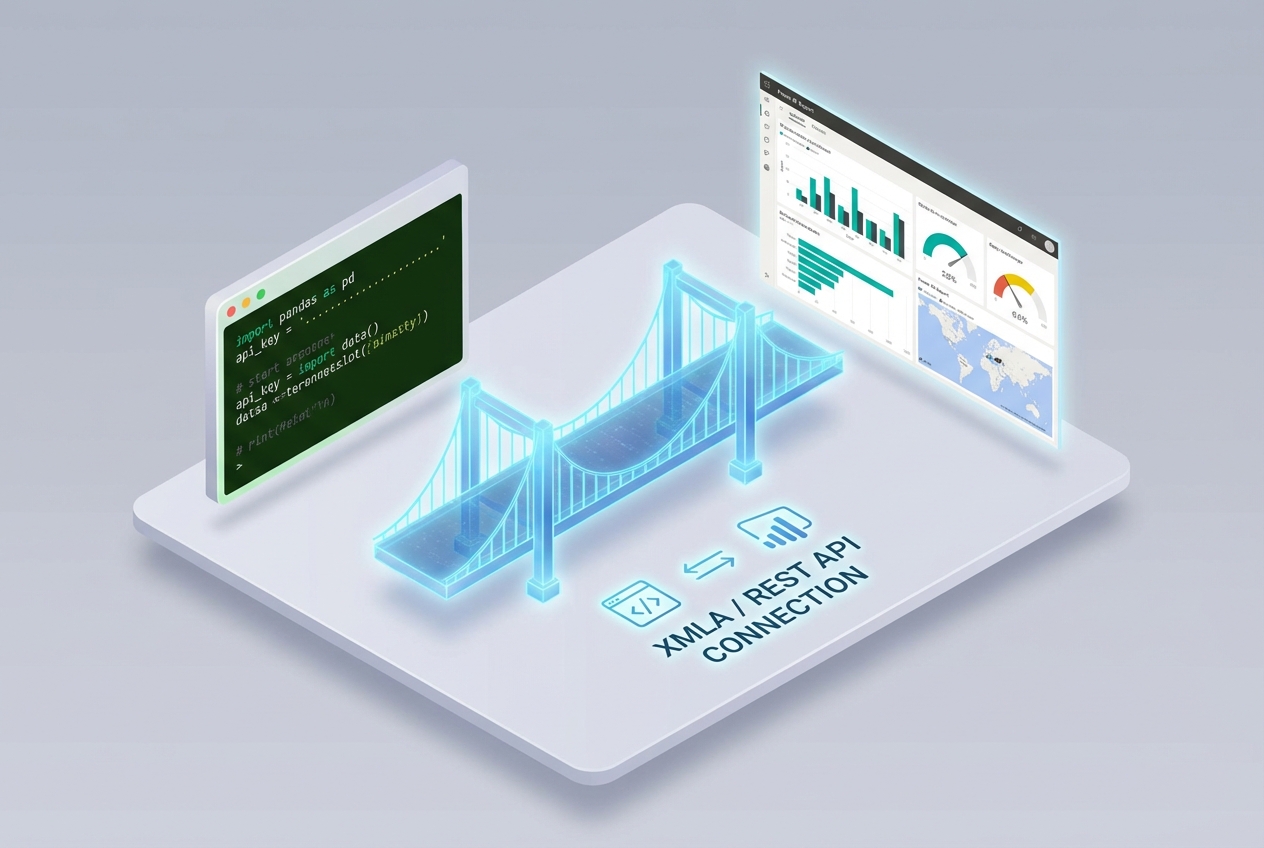
In the Microsoft ecosystem, that logic is encapsulated in Power BI datasets—specifically in DAX measures, calculated columns, and complex relationships. To build a true “Virtual Data Analyst,” we cannot simply ask an LLM to write SQL. We must architect an Agentic Workflow capable of interacting with the Power BI Service via XMLA endpoints and REST APIs, mimicking the cognitive processes of a human analyst: introspection, planning, execution, and synthesis.
This deep dive explores how to build that architecture using Python, LangChain, and the Power BI REST API.
The Core Problem: Why Text-to-SQL Fails Power BI
Before writing code, we must understand the semantic gap. A raw SQL database contains Sales_Amount and Cost_Amount. However, the concept of Gross Margin % isn’t a column; it’s a DAX measure defined as:
Gross Margin % = DIVIDE([Total Sales] - [Total Cost], [Total Sales], 0)
Furthermore, this measure might rely on Time Intelligence functions (SAMEPERIODLASTYEAR) or complex filter contexts (CALCULATE).
If you point a standard Text-to-SQL agent at the underlying SQL database, it will hallucinate the math, ignore the verified logic defined in Power BI, and return numbers that don’t match your executive dashboard. To fix this, our agent must speak DAX (Data Analysis Expressions) and query the Semantic Model directly.
Architectural Pattern: The Plan-and-Execute Agent
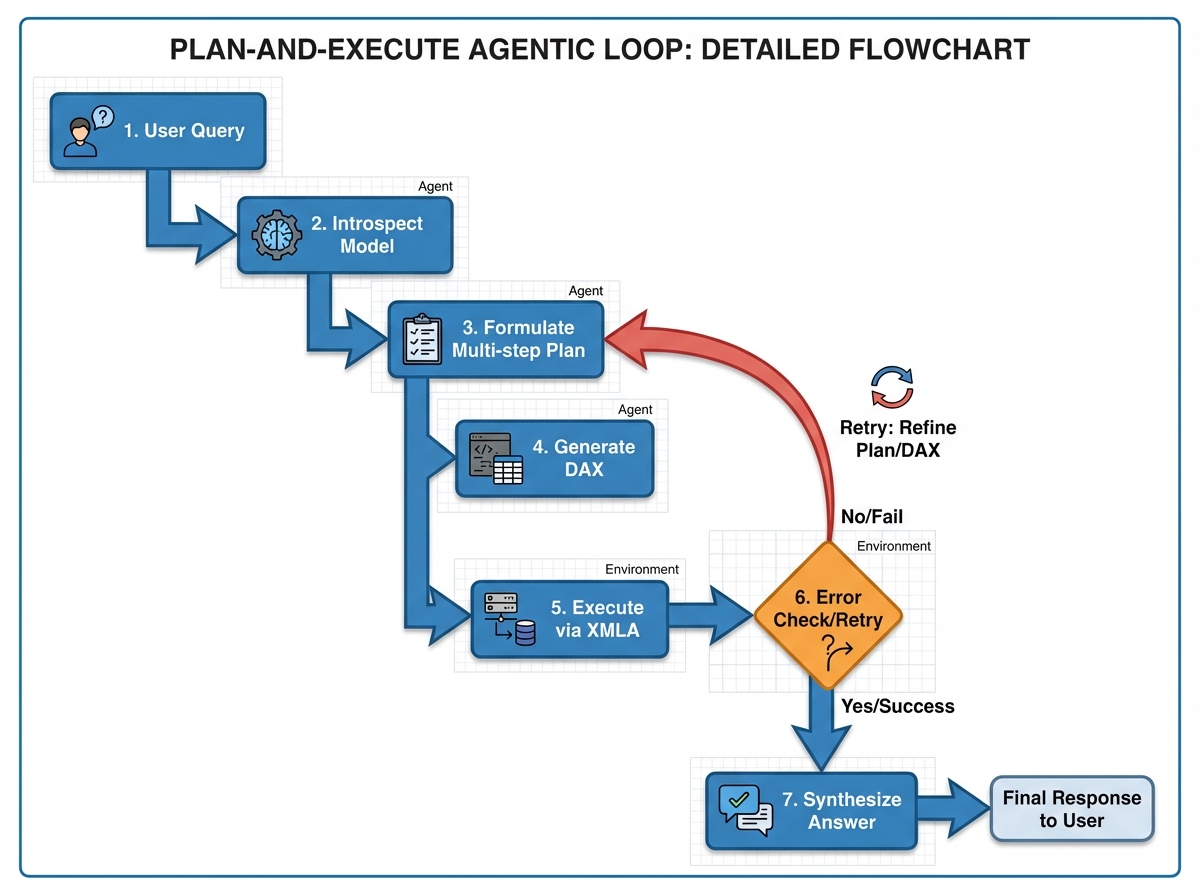
We will move beyond simple RAG (Retrieval Augmented Generation) to a “Plan-and-Execute” agentic pattern. A human analyst doesn’t just run a query immediately. They:
- Introspect: Look at the data model to see what fields and measures exist.
- Plan: Break the business question into logical steps.
- Execute: Write and run the query.
- Verify/Refine: Check if the results make sense.
- Synthesize: Write the email/report.
Our AI agent will replicate this loop.
The Component Stack
- Orchestrator: LangChain or LangGraph (Python).
- LLM: GPT-4o or Claude 3.5 Sonnet (Models with high coding capability are essential for DAX).
- Interface Layer: Power BI REST API (
executeQueriesendpoint) or XMLA endpoint viapythonnet/pyadomd. - Tools: Custom Python functions for Schema Introspection and DAX Execution.
Phase 1: Introspection (The Metadata Layer)
An LLM cannot query a dataset it cannot see. We need a tool that allows the agent to read the “map” of the data. We use Dynamic Management Views (DMVs) over the XMLA endpoint or the Power BI REST API to fetch metadata.
We need to extract:
- Table Names
- Column Names
- Measure Names and their DAX Expressions (Crucial for context)
- Relationships
Implementation: The Schema Fetcher
Here is how we implement a robust schema fetcher using the Power BI REST API. This tool will be available to our Agent.
import requests
import json

class PowerBIMetadataService:
    def __init__(self, tenant_id, client_id, client_secret, workspace_id, dataset_id):
        self.base_url = "https://api.powerbi.com/v1.0/myorg"
        self.workspace_id = workspace_id
        self.dataset_id = dataset_id
        self.token = self._get_aad_token(tenant_id, client_id, client_secret)

    def _get_aad_token(self, tenant_id, client_id, client_secret):
        url = f"https://login.microsoftonline.com/{tenant_id}/oauth2/v2.0/token"
        payload = {
            'grant_type': 'client_credentials',
            'client_id': client_id,
            'client_secret': client_secret,
            'scope': 'https://analysis.windows.net/powerbi/api/.default'
        }
        response = requests.post(url, data=payload)
        return response.json().get('access_token')

    def get_semantic_schema(self):
        """
        Executes a DAX query to retrieve DMVs (Dynamic Management Views)
        simulating schema introspection.
        """
        # Query to get Tables and Columns
        dax_query = """
        EVALUATE
        SELECTCOLUMNS(
            INFO.COLUMNS,
            "Table", [TableID],
            "Column", [ExplicitName],
            "Description", [Description]
        )
        """

        # Query to get Measures (The most important part)
        measures_query = """
        EVALUATE
        SELECTCOLUMNS(
            INFO.MEASURES,
            "Table", [TableID],
            "Measure", [Name],
            "Expression", [Expression]
        )
        """

        columns = self.execute_dax(dax_query)
        measures = self.execute_dax(measures_query)

        return self._format_schema_for_llm(columns, measures)

    def execute_dax(self, dax_query):
        url = f"{self.base_url}/groups/{self.workspace_id}/datasets/{self.dataset_id}/executeQueries"
        headers = {
            "Authorization": f"Bearer {self.token}",
            "Content-Type": "application/json"
        }
        payload = {
            "queries": [{"query": dax_query}],
            "serializerSettings": {"incudeNulls": True}
        }

        response = requests.post(url, headers=headers, json=payload)
        return response.json()

    def _format_schema_for_llm(self, columns_raw, measures_raw):
        # Helper to convert raw JSON to a compact text string
        # enabling the LLM to ingest the schema without blowing up the context window.
        schema_summary = "DATASET SCHEMA:\n"
        # ... transformation logic ...
        return schema_summary

Phase 2: Dynamic DAX Generation Strategies
The hardest part of this workflow is preventing DAX syntax errors. DAX is unforgiving; a missing bracket or an invalid relationship reference breaks the query.
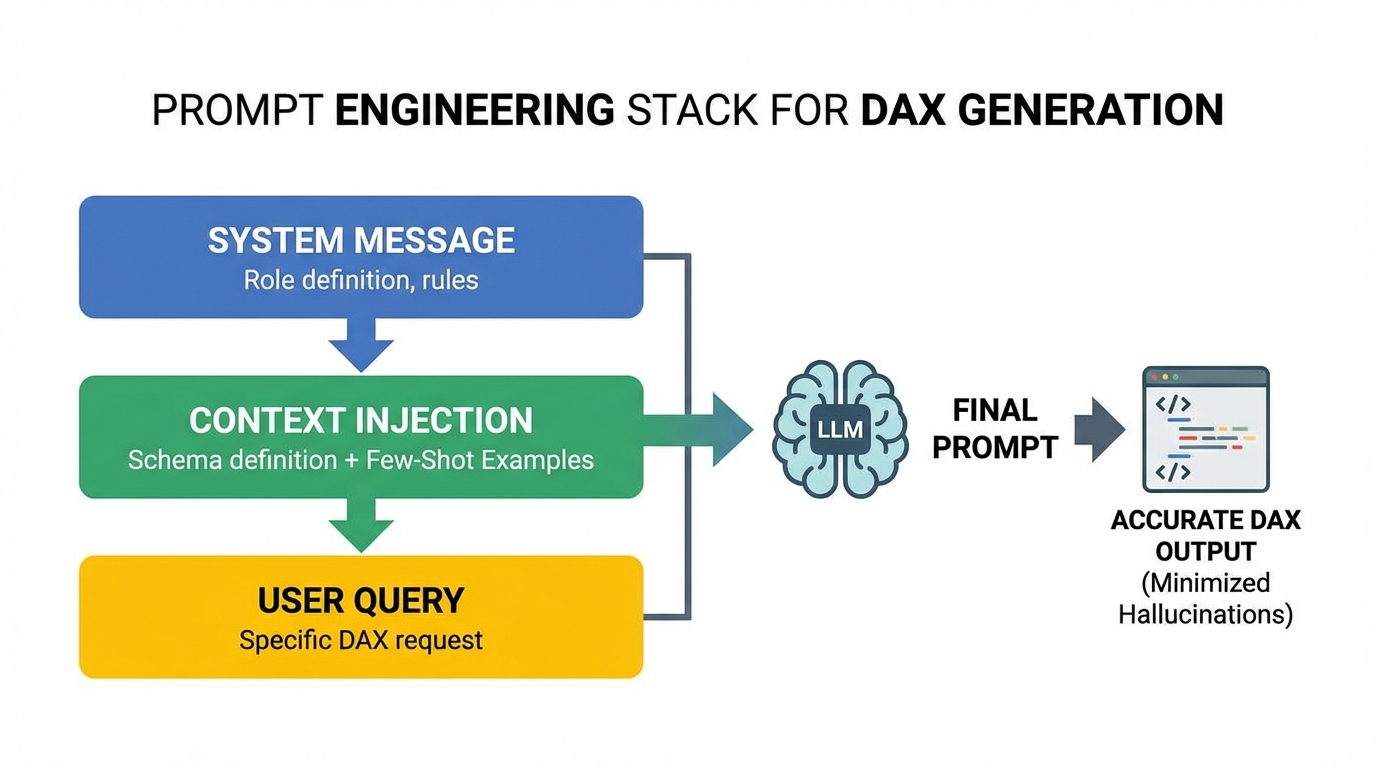
To mitigate this, we employ Constraint-Based Prompt Engineering and Few-Shot Learning.
The Prompt Strategy
We don’t just ask the model to “Write DAX.” We provide a strict template.
System Prompt Template:
You are an expert Power BI Architect and DAX developer.
Your goal is to answer business questions by generating valid DAX queries.

RULES:
1. ALWAYS begin by using the `get_schema` tool to understand the dataset.
2. Never invent columns or measures. Only use what exists in the schema.
3. Use SUMMARIZECOLUMNS for querying data. Do not use SUMMARIZE.
4. When filtering, remember that text fields are case-sensitive in Power BI depending on collation.
5. If the user asks for a comparison (e.g., Year over Year), look for existing Time Intelligence measures first.
   If none exist, construct them using CALCULATE and SAMEPERIODLASTYEAR.

OUTPUT FORMAT:
Return ONLY the raw DAX query inside a code block.
Handling “Hallucinations” via Self-Correction
In an agentic loop, if the generated DAX fails execution, the error message from the Power BI API (e.g., “Column ‘Rev’ does not exist”) is captured and fed back to the LLM.
The Correction Loop:
- Agent generates DAX.
- Tool executes DAX.
- Error:
Query (1, 4) The column 'Sales'[Rev] was not found. - Agent receives error.
- Agent Thought: “Ah, I used ‘Rev’ but the schema says ‘Revenue’. I will rewrite the query.”
- Agent generates corrected DAX.
Phase 3: The Execution Layer (Python & LangChain)
Now we combine the tools into a LangChain Agent. We utilize the OpenAIFunctionsAgent or a LangGraph state machine for more control.
The Agent Definition
from langchain.agents import AgentExecutor, create_openai_tools_agent
from langchain_openai import ChatOpenAI
from langchain_core.prompts import ChatPromptTemplate, MessagesPlaceholder
from langchain.tools import tool

# Initialize Service
pbi_service = PowerBIMetadataService(...)

@tool
def get_dataset_schema(dummy_arg: str = "ignore"):
    """
    Retrieves the table names, columns, and measures from the Power BI dataset.
    Always call this FIRST to understand what data is available.
    """
    return pbi_service.get_semantic_schema()

@tool
def execute_dax_query(dax_query: str):
    """
    Executes a DAX query against the Power BI dataset and returns the results as JSON.
    Use SUMMARIZECOLUMNS for best performance.
    """
    try:
        result = pbi_service.execute_dax(dax_query)
        # Parse the 'results' key from Power BI API response
        rows = result['results'][0]['tables'][0]['rows']
        return json.dumps(rows)
    except Exception as e:
        return f"DAX Execution Error: {str(e)}"

# Setup Agent
llm = ChatOpenAI(model="gpt-4-turbo", temperature=0)
tools = [get_dataset_schema, execute_dax_query]

prompt = ChatPromptTemplate.from_messages([
    ("system", "You are a specialized Data Analyst Agent for Power BI..."),
    ("user", "{input}"),
    MessagesPlaceholder(variable_name="agent_scratchpad"),
])

agent = create_openai_tools_agent(llm, tools, prompt)
agent_executor = AgentExecutor(agent=agent, tools=tools, verbose=True, handle_parsing_errors=True)

# Execution
response = agent_executor.invoke({
    "input": "Analyze the sales trend for Q4 2024 specifically for the 'Enterprise' segment. Compare it to the previous year."
})
Phase 4: Synthesis and Narrative Generation
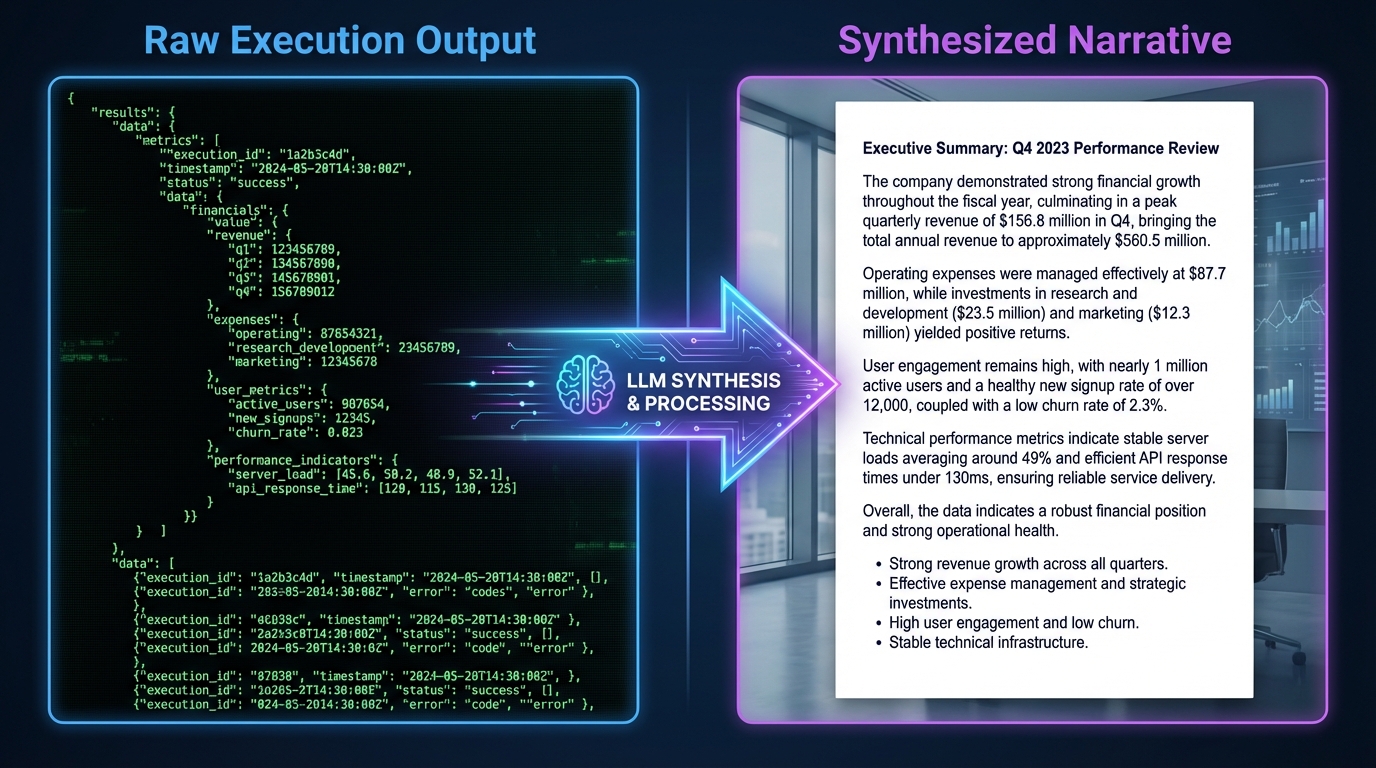
The output of execute_dax_query is a raw JSON array. While accurate, it is not a “response.” The final step in the agentic workflow is Synthesis.
Once the agent has the data in its context, it switches roles from “Data Engineer” to “Strategy Consultant.”
Data Context:
[
  {"Month": "Oct 2024", "Sales": 150000, "Sales_LY": 140000},
  {"Month": "Nov 2024", "Sales": 160000, "Sales_LY": 155000},
  {"Month": "Dec 2024", "Sales": 200000, "Sales_LY": 180000}
]
Synthesis Prompt:
“Review the data retrieved. Identify key trends, calculate the Year-over-Year growth percentage for the quarter, and summarize the findings in a professional paragraph suitable for a CEO.”
This separation of concerns—Data Retrieval (DAX) vs. Insight Generation (Natural Language)—is vital for accuracy.
Advanced Scenarios and Edge Cases
1. Handling Large Result Sets
The Power BI executeQueries REST API has a row limit (typically 100k rows) and the LLM has a context window.
- Solution: The agent must be instructed to aggregate data in DAX. Never request
SELECT *. The prompt should enforce usage ofSUMMARIZECOLUMNSgrouped by high-level dimensions (Date, Region, Category) rather than individual transaction IDs.
2. Row Level Security (RLS)
One of the massive benefits of using the Power BI API over direct SQL access is that RLS is preserved. When the Service Principal (or the user represented by an explicit EffectiveIdentity in the API call) queries the dataset, Power BI automatically filters the data.
- Implementation: In the
executeQueriespayload, inject theimpersonatedUserNameproperty if you are building a user-facing chatbot to ensure they only see their specific data.
3. Measures with Dependencies
Complex measures often depend on other hidden measures.
- Solution: In the Introspection phase, we query
INFO.MEASURESincluding theExpressioncolumn. We can feed these expressions into the LLM context (using RAG) so it understands that[Net Profit]is actually[Gross Profit] - [Opex]. This allows the LLM to explain why a number changed, not just what the number is.
Performance Considerations
XMLA vs REST API:
- REST API (
executeQueries): Easier to set up, works over standard HTTP, standard JSON output. Good for light-to-medium workloads. - XMLA Endpoint: Requires Premium/Fabric capacity. Allows connection via
ADOMD.NET(wrapped in Python). Much faster for large data retrieval and supports more complex DAX operations.
For a production-grade Virtual Analyst, I recommend using the XMLA endpoint via the pythonnet library to load the Microsoft Analysis Services client libraries. It provides a more robust, stateful connection compared to the stateless REST API.
Conclusion
Building a Virtual Data Analyst is not about fine-tuning a model to write SQL. It is about respecting the Semantic Layer. By architecting an agent that can Introspect, Plan, and Execute against Power BI’s native logic, we bridge the gap between “Generative AI toy” and “Enterprise Decision Engine.”
This approach ensures consistency. The number the chatbot gives the CEO is the exact same number the dashboard shows, because they are both generated by the same DAX engine. That—not just the ability to chat—is the holy grail of AI in Business Intelligence.
Next Steps for Implementation
- Enable XMLA Read/Write in your Power BI Premium Capacity settings.
- Create a Service Principal in Azure Entra ID and grant it access to your Workspace.
- Start Small: Pick a dataset with a clean schema and well-named measures.
- Iterate on Prompts: The system prompt is your new code base. Version control it and test it against edge cases.
The future of BI isn’t just dashboards; it’s intelligent agents that can read those dashboards for you.